Automated Data Backups
As part of the service, SCP creates weekly backups of all your account data and makes them accessible to you to download. Our principle is that your data is yours and you should have access to it. Keeping backups is also a requirement for some security compliance programs, since it can be key to protecting against exploits such as ransomware attacks. SoftSlate also maintains regular backups of the entire system for security purposes. In this document we are talking about weekly backups of your own data that we make available to you to download.
On a more practical level, the weekly database dumps can be used to integrate with other systems, restore lost data due to inadvertent changes, and more. These data backups include every piece of data we have that is associated with your account.
How Access Your Data Backups
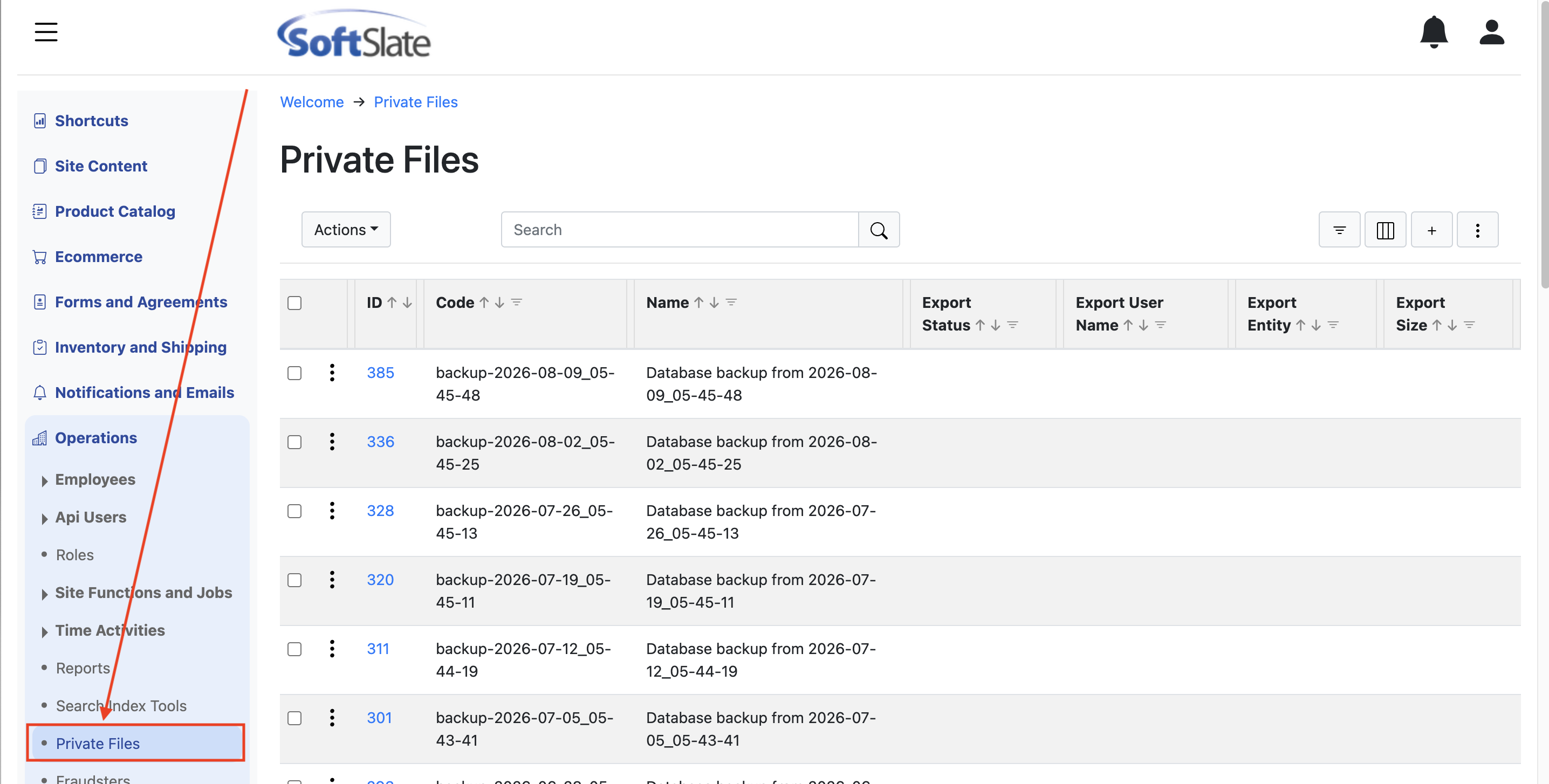
To access each of the weekly data backups simply log into the administrator application and navigate to Operations -> Private Files. The backups are stored as "Private Files" in the system, meaning that they are only accessible to employees who have access to this area of the administrator.
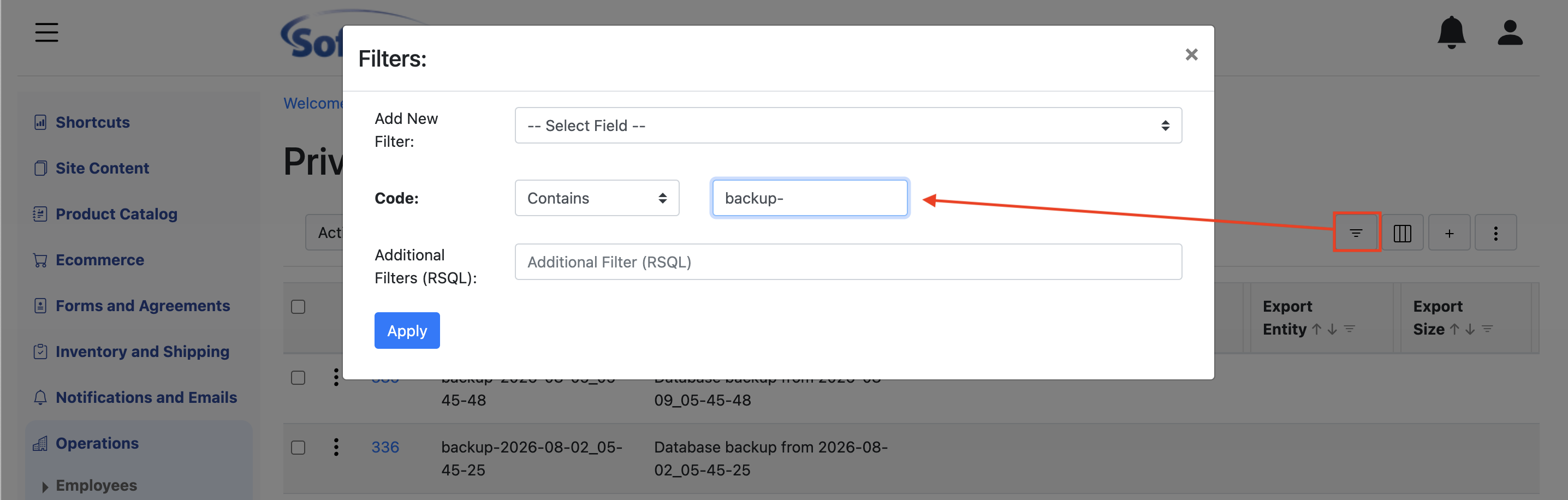
If you have a large number of Private Files, you might like to add filter to just display the backups. You can do this by creating a filter on the "code" field and indicate that the code should contain the value "backup-":
To download an individual backup, simply click the three-dots menu next to the one you want and select "Download".
Working With Your Backup
As of this writing, the backup files are stored in mysqldump format. This means that to read them, you'll want to install a MySQL database server and restore the backup to a database on that server. Some technical knowledge is desirable for this.
Find online resources including mysql.com and follow their instructions for installing a MySQL database server and client. With those in place you can run a command to restore the database from the dump file. With either the mysql client from the command line, or other tools such as MySQL Workbench, you can query and inspect the data.