Payment Page Changes
To adhere to PCI (Payment Card Industry) security requirements, merchants must be notified of and approve changes made to their site's payment page. As part of our onboarding process, if you are using SCP's ecommerce functionality to collect payments from customers using credit cards, we will set up a Payment Page Changes Job for your site.
This job goes through the first part of checkout on your site and examines the contents of the pages: it downloads and stores the full content of any external scripts that are included in the pages, as well as the pages' HTTP headers. It compares each element with what it downloaded and stored previously. If a change is detected, that change is recorded in the system as Payment Page Change, and it triggers a notification so the changes can be reviewed.
Although there are many other security precautions taken to ensure that only legitimate scripts and headers are part of the payment page, this is a critical area for credit card security. The Payment Page Changes Job is an extra layer of security, running through the public interface of the site, to make sure nothing has been compromised.
Contact SoftSlate support if you have questions about setting up the Payment Page Changes Job, or about how it works.
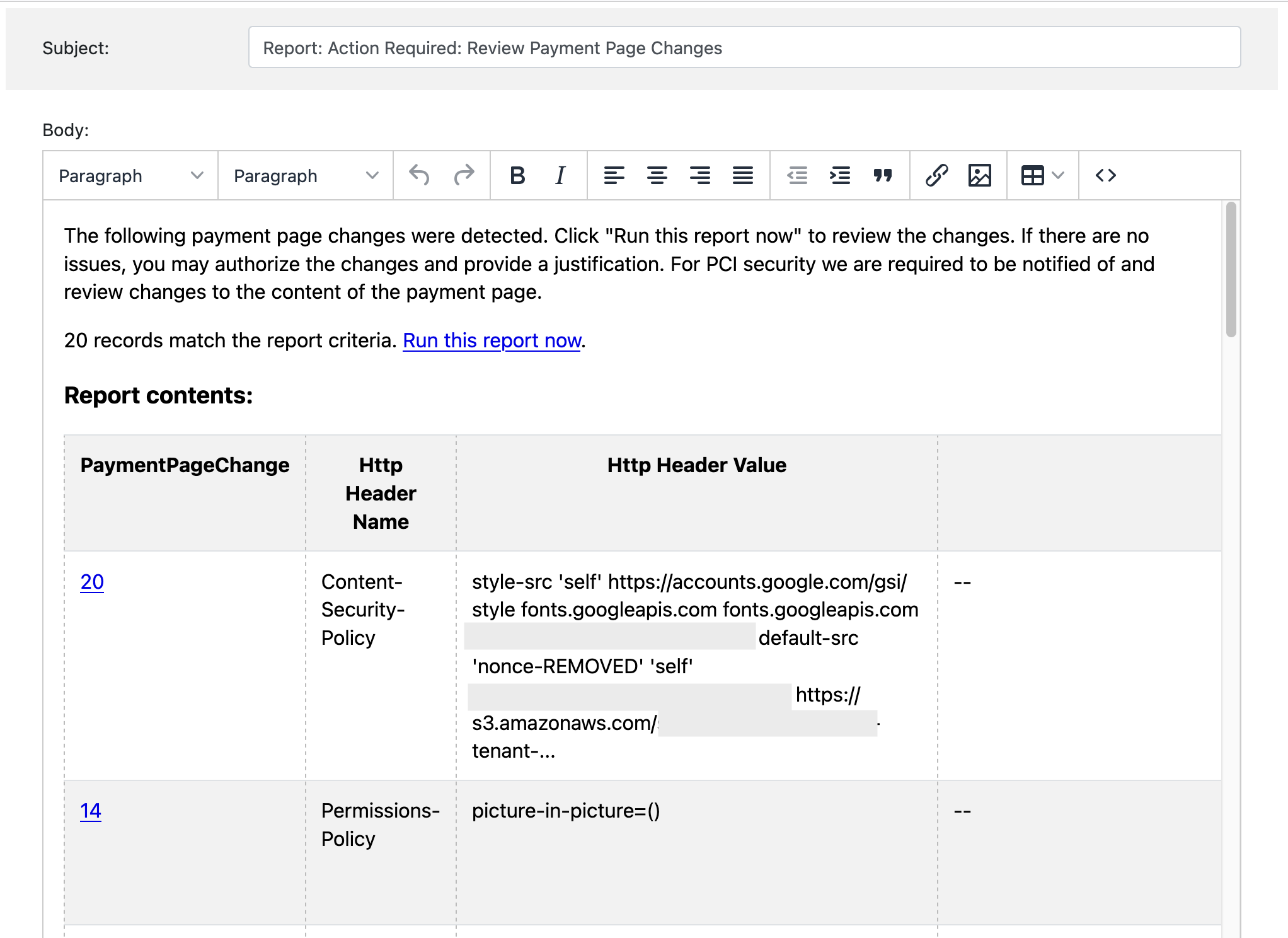
If a payment page change is detected you should expect to receive a notification like the following, asking you to log in and review the changes:
In the administrator, the link takes you to this screen where you can review the changes, approve them, and provide a justification for each change:
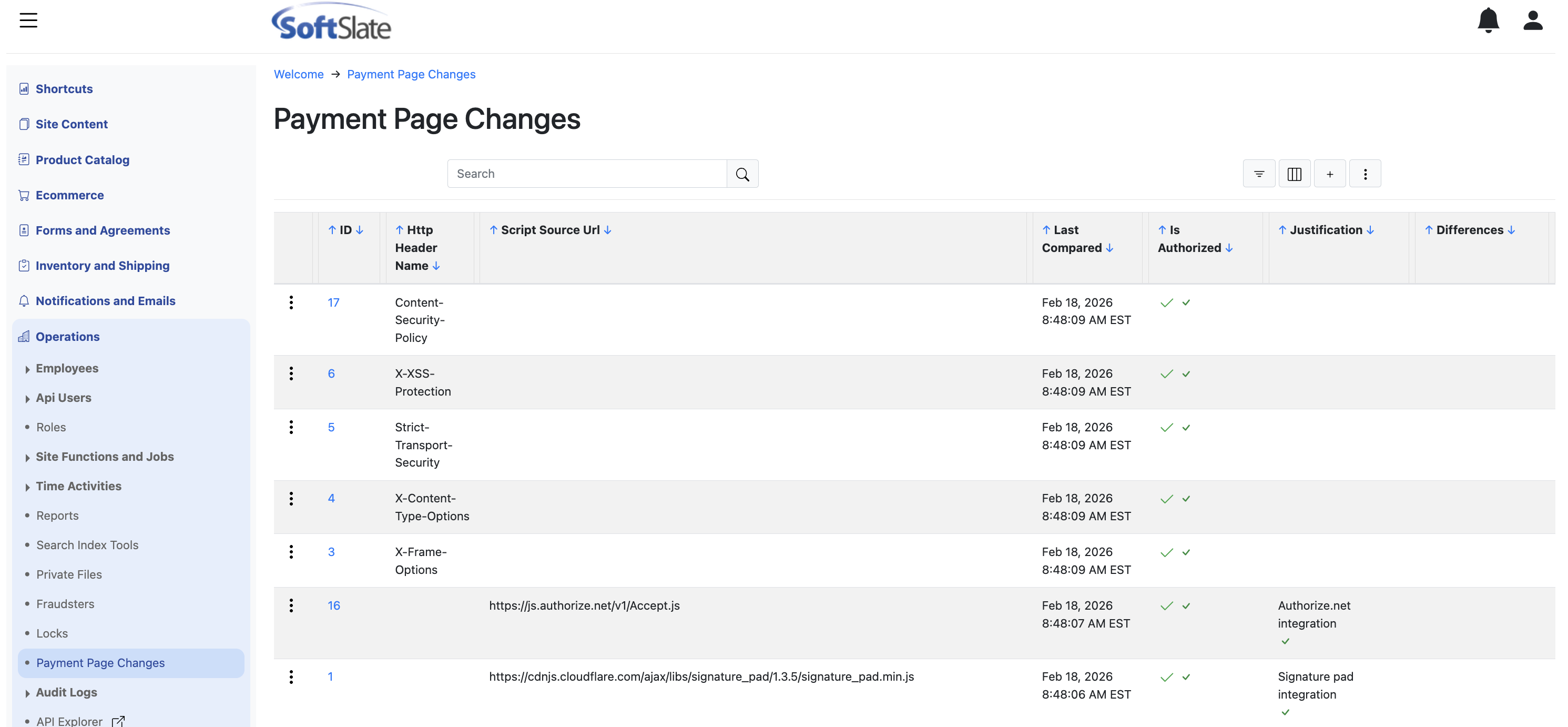
Once you authorize each of the changes, the notification will no longer be sent out. The Payment Page Changes Job will continue to run, and if another change takes place, another notification will get sent out to you. If you have any questions about the process, or about a particular change, please contact SoftSlate support.